Clickfix
A clickfix attack, is a relatively new type of attack which exploits a user’s trust in platforms and CAPTCHA’s that they regularly see, day-to-day. Coined by Proofpoint in 2024, it’s prevalence has only increased.
Take the captcha below.
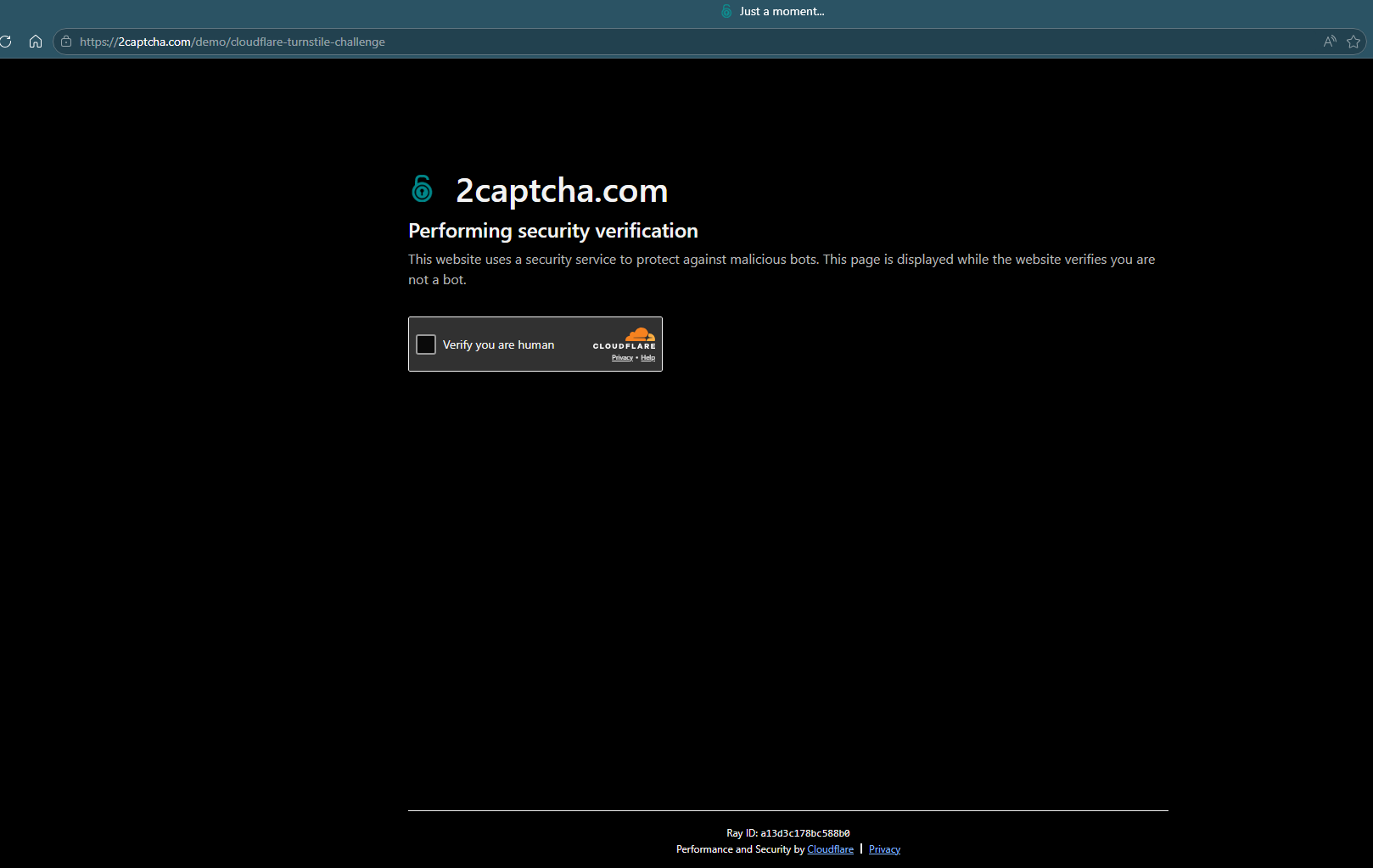
A Captcha (or Turnstile as Cloudflare calls their implementation) has likely been seen by any user of the internet in the last 10 years. Whilst unaware of it, users have been conditioned to inherently trust this page because they see it so often, especially on sites that they trust.
According to Builtwith, approximately 650,000 of the World’s largest websites make use of Cloudflare’s Turnstile (as of the time of writing).
We have all seen Captcha’s like this, and we naturally do as they tell us, to gain access to the website they are protecting. After all, how else can we prove that we’re not a robot?
The issue with this, is what if that inherent trust gets abused by malicious actors. When a user accesses a page protected by Cloudflare, how far will they go to prove that they’re not an automaton? I know that I will click photos, slide puzzle pieces and rotate animals.
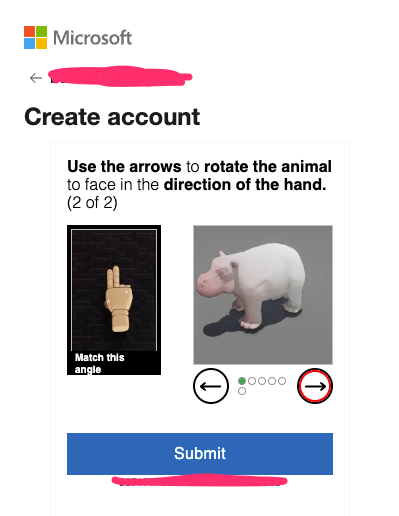
Taking it one step too far

You wouldn’t run a command from a stranger on the internet.
You wouldn’t download a virus.
If Cloudflare’s captcha told you to run a command, to prove you’re not a robot, would you?
Some users might question the sudden change in methods and the suspicious actions it’s asking them to commit. Some users might really need to access the site, and will blindly follow the instructions on screen.
Nevertheless, some users, inevitably, will fall for a clickfix attack the anatomy of such an attack is below.
How clickfix attacks are constructed
The core of a clickfix attack is JavaScript, which copies the attacker’s payload to an unsuspecting user’s clipboard. The “proper” method of copying to a user’s clipboard, is given below (as-per Mozilla)
function updateClipboard(newClip) {
  navigator.clipboard.writeText(newClip).then(
    () => {
      /* clipboard successfully set */
    },
    () => {
      /* clipboard write failed */
    },
  );
}
This method does work, but is not frequently employed by attackers, as it requires the user to grant permission to the website to “See text and images copied to the clipboard”.

Whilst I think this notification could be more accurate (stating that the website can modify the clipboard and write to it) it still serves as extra friction for the user, which may make them less likely to click.
The other method of copying to the clipboard is the document.execCommand("copy") method, which despite being deprecated is supported by the major browsers (as of writing).
        function copyToClipboard(text){
            // Create a temporary textarea element to hold the text
            var textArea = document.createElement("textarea");
            textArea.value = text;

            document.body.appendChild(textArea);
            textArea.select();
            console.log(document)
            try{
                var successful = document.execCommand("copy");
                if (successful) {
                    console.log("Text copied to clipboard: " + text);
                } else {
                    console.error("Failed to copy text to clipboard.");
                }
            }
            catch (err){
                console.error("Failed to copy text: ", err);
            }
            document.body.removeChild(textArea);
        }


    document.querySelector("#copyButton").addEventListener("click", function() {
        copyToClipboard("You've got mail");
    });

Using this method, a user must perform a “transient activation” which could be a
mousedownorpointerdownevent for a mousepointerupeventtouchendeventkeydownevent
In legitimate applications, a user can click a button which copies a string to the clipboard, this the mousedown activation.
Clickfix mimics this behaviour, a user will click on a button to start the captcha process, and this is enough for the browser to treat it as a copy event.
Sidenote
I believe that the browser should do more to protect users from this attack, even with clipboard access explicitly denied it is still possible to copy text to the clipboard using the document.execCommand method.
Cloning a cloudflare page
With the core logic understood, the next step is cloning the look and feel of a cloudflare captcha page. 2captcha[.]com provided a demo cloudflare turnstile challenge, which was perfect to start manually copying the website. Plain copying the whole HTML provides most of the required formatting, all is needed is to update the icon, title and of course, the fake captcha itself.
![Cloned 2captcha[.]com page](https://github.com/Henryisnotavailable/Henryisnotavailable.github.io/blob/main/assets/images/Screenshot%202026-07-01%20105233.png?raw=true)
With some updates to the text and formatting, it’s starting to look better.

The cloudflare turnstile itself is an iframe, so I’ll clone the code locally and modify it to work in-line.
<div id="captcha" role="group" aria-label="Verification widget">
                        <label id="captcha-check">
                            <input type="checkbox" id="humanbox">
                            <span class="captcha-box" aria-hidden="true"></span>
                            <span class="captcha-label">Verify you are human</span>
                        </label>
                        <span class="captcha-brand">
                            <span class="captcha-brand-logo" aria-hidden="true">
                                <svg viewBox="0 0 73 25" xmlns="http://www.w3.org/2000/svg" role="img" aria-label="Cloudflare">
                                    [..]
                                  </svg>
                            </span>
                            <strong>Cloudflare</strong>
                            <span>Privacy • Terms</span>
                        </span>
                        <input type="hidden" name="cf-turnstile-response" id="cf-chl-widget-8tpoh_response">
Now when a user presses the checkbox in the div, I have javascript which will run and create a popup, as well as run the document.execCommand("copy") method. The popup was designed using the colour scheme of Cloudflare, but looks fairly vendor-agnostic, it gives the user a list of steps to complete (which basically says to open the run dialogue and paste it in).
Finally, the user gets a verify button at the end of the pop-up, which when pressed will take them to the site they originally intended to go on.

When clicked

And finally the runbox containing the “evil” command

I also turned the file into a template file, with a python file in order to generate any clickfix page for a given domain. This could then be used as part of internal phishing training or simulations and awareness. Given a URL it will attempt to copy the favicon.ico